Back to blog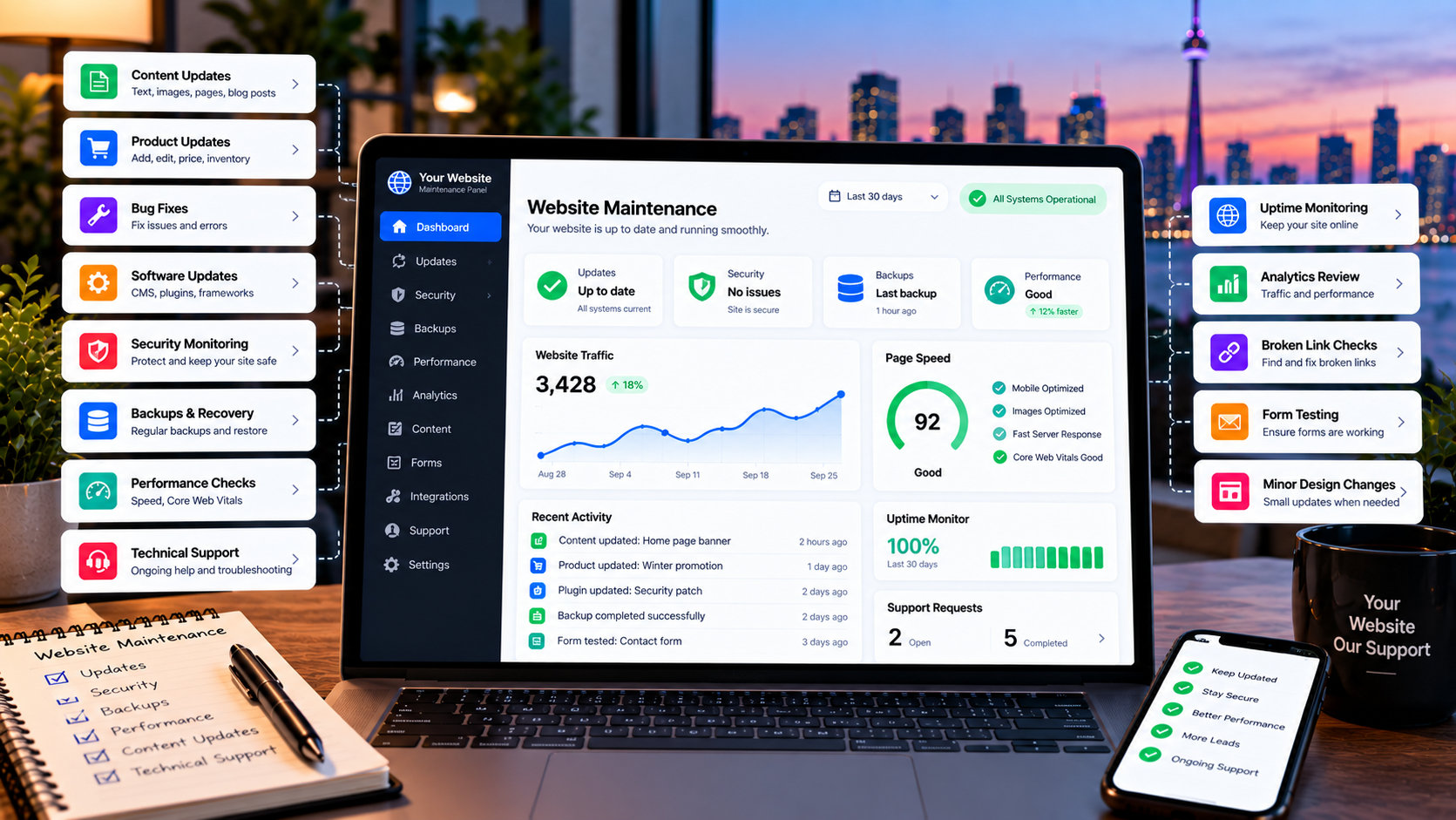
Web Development9/28/2026
Website Maintenance in Canada: What Does Ongoing Support Include?
A website needs more than a successful launch. Learn what ongoing website maintenance can include, from updates and bug fixes to content changes, performance improvements, security checks, and technical support.
Website Maintenance in Canada: What Does Ongoing Support Include?
Launching a website is an important milestone, but it is not always the end of the work.
A business website can change after launch.
Phone numbers change.
Services are added.
Prices change.
Products are updated.
Forms need testing.
Small bugs appear.
Software and dependencies are updated.
Pages need new content.
Performance can change as the website grows.
That is why many businesses choose ongoing website maintenance or support after their website goes live.
But what does website maintenance actually include?
The answer depends on the type of website, the technology it uses, and how much support the business needs.
This guide explains the common areas of ongoing website maintenance and what a business should consider when choosing a support arrangement.
What Is Website Maintenance?
Website maintenance is the ongoing work required to keep a website current, functional, and supported after launch.
Depending on the website, maintenance can include:
- Content updates
- Product and price updates
- Bug fixes
- Software updates
- Security checks
- Backups
- Performance improvements
- Form testing
- Broken-link checks
- Hosting coordination
- Technical troubleshooting
- Minor design changes
- Ongoing improvements
- Product and price updates
- Bug fixes
- Software updates
- Security checks
- Backups
- Performance improvements
- Form testing
- Broken-link checks
- Hosting coordination
- Technical troubleshooting
- Minor design changes
- Ongoing improvements
Not every website needs all of these services.
A simple brochure website may need occasional content changes and technical checks.
An e-commerce website may need more frequent product, checkout, payment, and performance attention.
A custom web application may require application updates, database maintenance, integrations, monitoring, and technical support.
Why Does a Website Need Ongoing Maintenance?
A website can continue to work after launch without regular maintenance.
But that does not mean it should be left completely unattended.
Websites are connected to technology that changes over time.
For example:
- Browsers change
- Operating systems change
- Third-party services change
- APIs change
- Dependencies receive updates
- Hosting environments change
- Security vulnerabilities are discovered
- Business information changes
- Operating systems change
- Third-party services change
- APIs change
- Dependencies receive updates
- Hosting environments change
- Security vulnerabilities are discovered
- Business information changes
A website that worked perfectly when it launched may eventually need adjustments.
Ongoing maintenance provides a structured way to handle those changes.
1. Content Updates
One of the simplest forms of website maintenance is keeping business information current.
Examples include:
- Business hours
- Phone numbers
- Email addresses
- Service descriptions
- Team information
- Locations
- Promotions
- Blog posts
- Images
- Frequently asked questions
- Phone numbers
- Email addresses
- Service descriptions
- Team information
- Locations
- Promotions
- Blog posts
- Images
- Frequently asked questions
Even a small change can matter.
For example, if a business changes its phone number but the old number remains on the website, customers may try to contact the wrong number.
Regular content maintenance helps keep the website aligned with the business.
2. Product and Price Updates
E-commerce websites often need more frequent updates.
Businesses may need to change:
- Product prices
- Product descriptions
- Images
- Inventory information
- Product categories
- Promotions
- Shipping information
- Product descriptions
- Images
- Inventory information
- Product categories
- Promotions
- Shipping information
A website maintenance arrangement can help with these changes when the business does not want to handle every update itself.
The amount of support required depends on the size of the product catalogue and how frequently products change.
3. Bug Fixes
No software system is completely isolated from change.
A website may eventually experience issues such as:
- A form not submitting
- A button not working
- A layout problem
- A mobile display issue
- An image not loading
- A broken internal link
- An unexpected error
- A third-party integration failing
- A button not working
- A layout problem
- A mobile display issue
- An image not loading
- A broken internal link
- An unexpected error
- A third-party integration failing
Some problems are small.
Others can affect important business functions.
For example:
Website → Contact Form → Email Notification
If the form stops sending notifications, potential customer enquiries may be missed.
That is why functional checks and timely bug fixes can be important parts of ongoing support.
4. Software and Dependency Updates
Websites built with content management systems, plugins, frameworks, libraries, or other software components may require updates.
Updates can provide:
- Security fixes
- Bug fixes
- Compatibility improvements
- New functionality
- Performance improvements
- Bug fixes
- Compatibility improvements
- New functionality
- Performance improvements
But updates should not always be treated as a simple "click update" task.
On a more complex website, an update can sometimes affect another part of the system.
A sensible maintenance process should consider testing important functionality after significant changes.
This is particularly important for websites with:
- E-commerce
- Forms
- Booking systems
- Customer accounts
- Payment integrations
- Custom applications
- Third-party APIs
- Forms
- Booking systems
- Customer accounts
- Payment integrations
- Custom applications
- Third-party APIs
5. Security Checks
Security is another reason businesses pay attention to ongoing maintenance.
Security work can include:
- Keeping supported software updated
- Reviewing access controls
- Checking authentication settings
- Monitoring for suspicious activity
- Reviewing important configuration
- Addressing known vulnerabilities
- Maintaining secure connections
- Reviewing access controls
- Checking authentication settings
- Monitoring for suspicious activity
- Reviewing important configuration
- Addressing known vulnerabilities
- Maintaining secure connections
The exact security requirements depend on the technology and the type of information the website handles.
A basic brochure website and a customer-facing application with accounts and payments should not necessarily have the same maintenance process.
6. Backups and Recovery
Backups are an important part of maintaining a website.
A backup can provide a recovery point if something goes wrong.
Possible causes include:
- Software problems
- Incorrect changes
- Server issues
- Data corruption
- Security incidents
- Human error
- Incorrect changes
- Server issues
- Data corruption
- Security incidents
- Human error
A useful backup strategy should consider:
- How frequently backups are created
- Where backups are stored
- How long they are retained
- What data is included
- How restoration would work
- Where backups are stored
- How long they are retained
- What data is included
- How restoration would work
Having a backup is different from knowing that the backup can actually be restored.
For important websites, businesses should understand how recovery would be handled before an incident occurs.
7. Website Performance
Website performance can change over time.
New images, scripts, integrations, plugins, database records, or features can affect the website.
Maintenance may therefore include checking:
- Page loading performance
- Large images
- Unnecessary scripts
- Server response
- Database performance
- Mobile performance
- Core Web Vitals-related metrics
- Large images
- Unnecessary scripts
- Server response
- Database performance
- Mobile performance
- Core Web Vitals-related metrics
Performance work should focus on actual problems rather than changing things simply because a website can be optimized further.
8. Forms and Lead Generation
For many small businesses, the website is a lead-generation tool.
Important forms may include:
- Contact forms
- Quote requests
- Booking forms
- Application forms
- Newsletter forms
- Customer enquiries
- Quote requests
- Booking forms
- Application forms
- Newsletter forms
- Customer enquiries
A website can look completely normal while a form quietly stops working.
That is why important forms should be checked periodically.
A useful maintenance process can verify that:
Customer submits form → Submission is received → Notification is delivered → Business can respond
This workflow matters because a broken form can affect the business directly.
9. Broken Links and Technical Errors
Websites change frequently.
Pages are renamed.
Products are removed.
Blog posts are moved.
External websites change their URLs.
This can create broken links.
Regular checks can help identify:
- Broken internal links
- Broken external links
- Missing pages
- Incorrect redirects
- Missing images
- Technical errors
- Broken external links
- Missing pages
- Incorrect redirects
- Missing images
- Technical errors
Not every broken link creates a major problem, but maintaining a clean website improves usability and reduces avoidable issues.
10. Hosting and Domain Support
Website maintenance can sometimes involve more than the website code itself.
Businesses may need help with:
- Hosting
- DNS
- SSL certificates
- Domain configuration
- Email-related website settings
- Deployment
- Server configuration
- DNS
- SSL certificates
- Domain configuration
- Email-related website settings
- Deployment
- Server configuration
These areas can become particularly important when a website is moved to a new hosting provider or when the business changes domains.
A maintenance provider should clearly explain which infrastructure tasks are included and which are outside the support arrangement.
11. Analytics and Search Console Checks
A website can also benefit from periodic review of its performance and search visibility.
Depending on the business, useful tools may include:
- Google Analytics
- Google Search Console
- Conversion tracking
- Website performance reports
- Google Search Console
- Conversion tracking
- Website performance reports
These tools can help identify things such as:
- Traffic changes
- Search queries
- Indexing issues
- Page performance
- Form conversions
- Technical problems
- Search queries
- Indexing issues
- Page performance
- Form conversions
- Technical problems
Maintenance and SEO are not exactly the same service.
However, technical website maintenance can support the underlying health of a site while SEO work focuses on visibility and search performance.
12. Minor Design Changes
A business website does not necessarily need a complete redesign every time something changes.
Small adjustments may include:
- Changing a button
- Updating a section
- Replacing an image
- Adjusting spacing
- Updating a banner
- Adding a new section
- Improving a mobile layout
- Updating a section
- Replacing an image
- Adjusting spacing
- Updating a banner
- Adding a new section
- Improving a mobile layout
These small changes can help a website evolve without rebuilding the entire project.
Your maintenance arrangement should clearly define what counts as a minor change and what would be treated as a larger development project.
13. Third-Party Integrations
Many modern websites depend on external services.
Examples include:
- Payment providers
- Email services
- Maps
- Booking systems
- Analytics
- CRM platforms
- Shipping services
- Authentication providers
- Email services
- Maps
- Booking systems
- Analytics
- CRM platforms
- Shipping services
- Authentication providers
If one of these services changes its API, configuration, or requirements, the website may need an update.
For example:
Website → Payment Provider
or:
Website → Booking System → Calendar
or:
Website → Contact Form → Email Service
The more integrations a website has, the more important it can be to know who is responsible for maintaining those connections.
14. E-Commerce Websites Need More Attention
An online store usually has more moving parts than a simple business website.
An e-commerce site may involve:
- Products
- Categories
- Inventory
- Customers
- Cart
- Checkout
- Payments
- Shipping
- Order management
- Customer emails
- Categories
- Inventory
- Customers
- Cart
- Checkout
- Payments
- Shipping
- Order management
- Customer emails
A problem in any important part of the checkout workflow can directly affect sales.
For that reason, e-commerce maintenance may include additional testing and monitoring compared with a simple brochure website.
15. Custom Web Applications Need Ongoing Support Too
Custom web applications are software products.
They can include:
- User accounts
- Databases
- Admin dashboards
- Customer portals
- Booking systems
- Business workflows
- APIs
- Payment systems
- Reporting
- Databases
- Admin dashboards
- Customer portals
- Booking systems
- Business workflows
- APIs
- Payment systems
- Reporting
These systems may need ongoing maintenance as the business changes.
For example:
New business requirement → New feature → Database change → Testing → Deployment
Ongoing support can therefore include both maintenance and future development.
This is different from simply updating the text on a website.
If your business has outgrown standard software and needs a system built around its workflow, you can explore our Custom Web Applications & Business Systems.
16. Website Maintenance vs Website Redesign
Maintenance and redesign are not the same thing.
Maintenance
Maintenance keeps the existing website working and current.
Examples:
- Updates
- Bug fixes
- Content changes
- Minor design changes
- Performance improvements
- Technical support
- Bug fixes
- Content changes
- Minor design changes
- Performance improvements
- Technical support
Redesign
A redesign is a larger project that changes the structure, design, technology, or user experience of the website.
A redesign may make sense when:
- The website looks significantly outdated
- The structure no longer fits the business
- Mobile experience is poor
- Performance problems are fundamental
- The technology is difficult to maintain
- The business has changed significantly
- The structure no longer fits the business
- Mobile experience is poor
- Performance problems are fundamental
- The technology is difficult to maintain
- The business has changed significantly
A business does not necessarily need a redesign simply because the website is a few years old.
The decision should be based on the website's condition and business requirements.
17. How Often Should Website Maintenance Be Done?
There is no single maintenance schedule that fits every website.
The right frequency depends on:
- Website technology
- Number of integrations
- Traffic
- E-commerce functionality
- Number of users
- Frequency of content changes
- Security requirements
- Business importance
- Number of integrations
- Traffic
- E-commerce functionality
- Number of users
- Frequency of content changes
- Security requirements
- Business importance
Some tasks may need regular monitoring.
Other tasks may only be needed when a change occurs.
For example:
Content updates: when the business changes information
Bug fixes: when issues are identified
Backups: according to the site's recovery requirements
Software updates: according to supported releases and the site's testing process
Performance reviews: periodically and when performance changes
The important part is having a clear process rather than waiting until something breaks.
18. Should You Pay for Monthly Website Maintenance?
Not every business needs a monthly maintenance plan.
You may be comfortable handling updates yourself if:
- The website is simple
- You understand the technology
- Changes are infrequent
- You have reliable backups
- You can troubleshoot problems
- The website is not operationally critical
- You understand the technology
- Changes are infrequent
- You have reliable backups
- You can troubleshoot problems
- The website is not operationally critical
Ongoing support can become more useful when:
- You do not have technical staff
- The website generates leads
- Customers rely on the website
- The website processes orders or bookings
- The site has custom functionality
- You regularly need content changes
- You want one person or team responsible for technical upkeep
- The website generates leads
- Customers rely on the website
- The website processes orders or bookings
- The site has custom functionality
- You regularly need content changes
- You want one person or team responsible for technical upkeep
The right arrangement depends on the business.
What Should a Website Maintenance Plan Include?
Before choosing a maintenance provider, ask exactly what is included.
A useful checklist can include:
Updates
- Software updates
- Dependency updates
- Plugin or CMS updates where applicable
- Dependency updates
- Plugin or CMS updates where applicable
Backups
- Backup frequency
- Storage location
- Retention period
- Recovery process
- Storage location
- Retention period
- Recovery process
Security
- Security checks
- Access review
- Vulnerability handling
- Incident response scope
- Access review
- Vulnerability handling
- Incident response scope
Performance
- Performance checks
- Mobile checks
- Optimization work
- Mobile checks
- Optimization work
Content
- Text updates
- Image updates
- Product updates
- Price changes
- Image updates
- Product updates
- Price changes
Technical Support
- Bug fixes
- Troubleshooting
- Form checks
- Integration support
- Troubleshooting
- Form checks
- Integration support
Infrastructure
- Hosting coordination
- DNS support
- SSL management
- Deployment support
- DNS support
- SSL management
- Deployment support
The exact scope should be agreed before work begins.
How Much Does Website Maintenance Cost in Canada?
Website maintenance pricing varies considerably.
Current Canadian service offerings show that maintenance can range from relatively simple low-cost plans to several hundred dollars per month, depending on the website type, support level, monitoring, content work, and technical complexity. For example, current GTA and Canadian providers publish plans ranging from under $100/month to several hundred dollars per month. These are examples of market offerings, not a standard Canadian price.
The most useful way to compare maintenance plans is therefore not simply by monthly price.
Compare:
- What is included
- How many updates are included
- How support requests are handled
- Whether backups are included
- Whether security checks are included
- Whether monitoring is included
- What happens during an emergency
- Whether unused support hours expire
- What counts as a new development project
- How many updates are included
- How support requests are handled
- Whether backups are included
- Whether security checks are included
- Whether monitoring is included
- What happens during an emergency
- Whether unused support hours expire
- What counts as a new development project
A cheaper plan with very limited support may not provide the same value as a more comprehensive arrangement.
What Happens When a Website Is Not Maintained?
The consequences depend on the website.
A simple site may continue working for a long time without updates.
A more complex website can gradually become harder to maintain.
Possible problems include:
- Outdated software
- Broken integrations
- Stale business information
- Broken forms
- Performance issues
- Compatibility problems
- Security concerns
- Difficult future updates
- Broken integrations
- Stale business information
- Broken forms
- Performance issues
- Compatibility problems
- Security concerns
- Difficult future updates
The risk is not identical for every website.
That is why maintenance should be based on the site's actual technology and business importance.
A Practical Website Maintenance Checklist
Ask these questions about your current website:
1. Who updates the website when information changes?
2. Who fixes bugs?
3. Are backups being created?
4. Do you know how to restore the website?
5. Who handles software updates?
6. Are important forms tested?
7. Who monitors important integrations?
8. Are old pages and links checked?
9. Who handles hosting or DNS problems?
10. Is website performance reviewed?
11. Who handles urgent technical issues?
12. Are content updates included in your current support arrangement?
13. What happens if the original developer is no longer available?
2. Who fixes bugs?
3. Are backups being created?
4. Do you know how to restore the website?
5. Who handles software updates?
6. Are important forms tested?
7. Who monitors important integrations?
8. Are old pages and links checked?
9. Who handles hosting or DNS problems?
10. Is website performance reviewed?
11. Who handles urgent technical issues?
12. Are content updates included in your current support arrangement?
13. What happens if the original developer is no longer available?
If several answers are unclear, it may be worth reviewing your current maintenance setup.
Choosing Between One-Off Support and Ongoing Maintenance
There are two common approaches.
One-Off Support
You contact a developer when something needs to be changed.
This can work well when:
- Changes are rare
- The website is simple
- You are comfortable handling routine tasks
- The website is simple
- You are comfortable handling routine tasks
Ongoing Maintenance
A developer or studio provides continuing support.
This can make sense when:
- The website is important to daily business operations
- Changes happen regularly
- The business does not have technical staff
- The website has custom functionality
- You want a consistent person responsible for technical support
- Changes happen regularly
- The business does not have technical staff
- The website has custom functionality
- You want a consistent person responsible for technical support
Neither option is automatically better.
The right choice depends on the website and the business.
Final Thoughts
A website should not necessarily require constant changes.
But it should have a clear owner after launch.
For some businesses, that means handling updates internally.
For others, it means having a developer available when needed.
For businesses that rely heavily on their website, ongoing maintenance can provide a structured way to handle content changes, bug fixes, performance improvements, technical updates, and other support needs.
The important thing is to understand what your website actually requires.
A simple website may need occasional support.
An e-commerce store may require more frequent attention.
A custom web application may need an ongoing technical relationship as the business grows.
Lutfur Digital Studio provides ongoing website management and maintenance for businesses across Canada, including content updates, product and price changes, minor design adjustments, bug fixes, maintenance, performance improvements, and ongoing improvements. The support can be scaled according to what the business actually needs.
Need Ongoing Website Support?
If your website is already live but you do not want to manage every update, fix, and technical issue yourself, ongoing website support can help keep it current and functional.